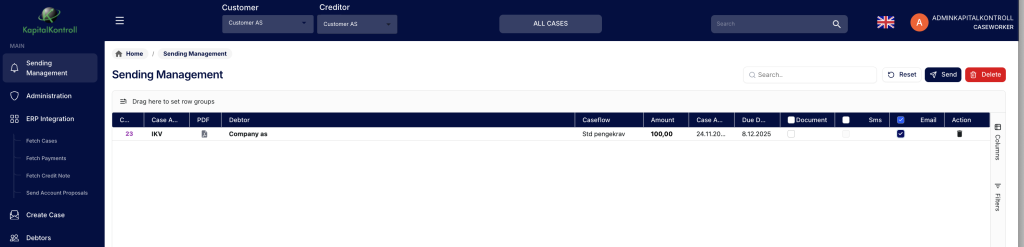
Under “Sending management” you can see which documents are planned for sending and how they are ment to be sent. If you have automatic sending enabled the list will be emptied automatically at 17:00 GMT +2. There is a setting under configuration that makes sending prefer email over Document/post if email is available.
You send manually by marking/unmarking the ones you want to send and hit “Send” at the top. You can mass delete unsent case actions by pressing the delete button. As long as the case is not on hold it will regenerate the document the next day.